
New to Canvas? Start Here
🚀 New to Canvas? Start Here
Never used Canvas before? These resources will help you learn your way around before completing your first assignment.
1. Explore the Canvas Dashboard
When you log in to Canvas, you will see the Canvas Dashboard. Here, you can access the Global Navigation Menu, access your available courses using the course cards, and view your to-do list.
How do I use the Global Navigation Menu?
How do I use the Dashboard as a student?
2. Welcome to your Course: Course Homepages
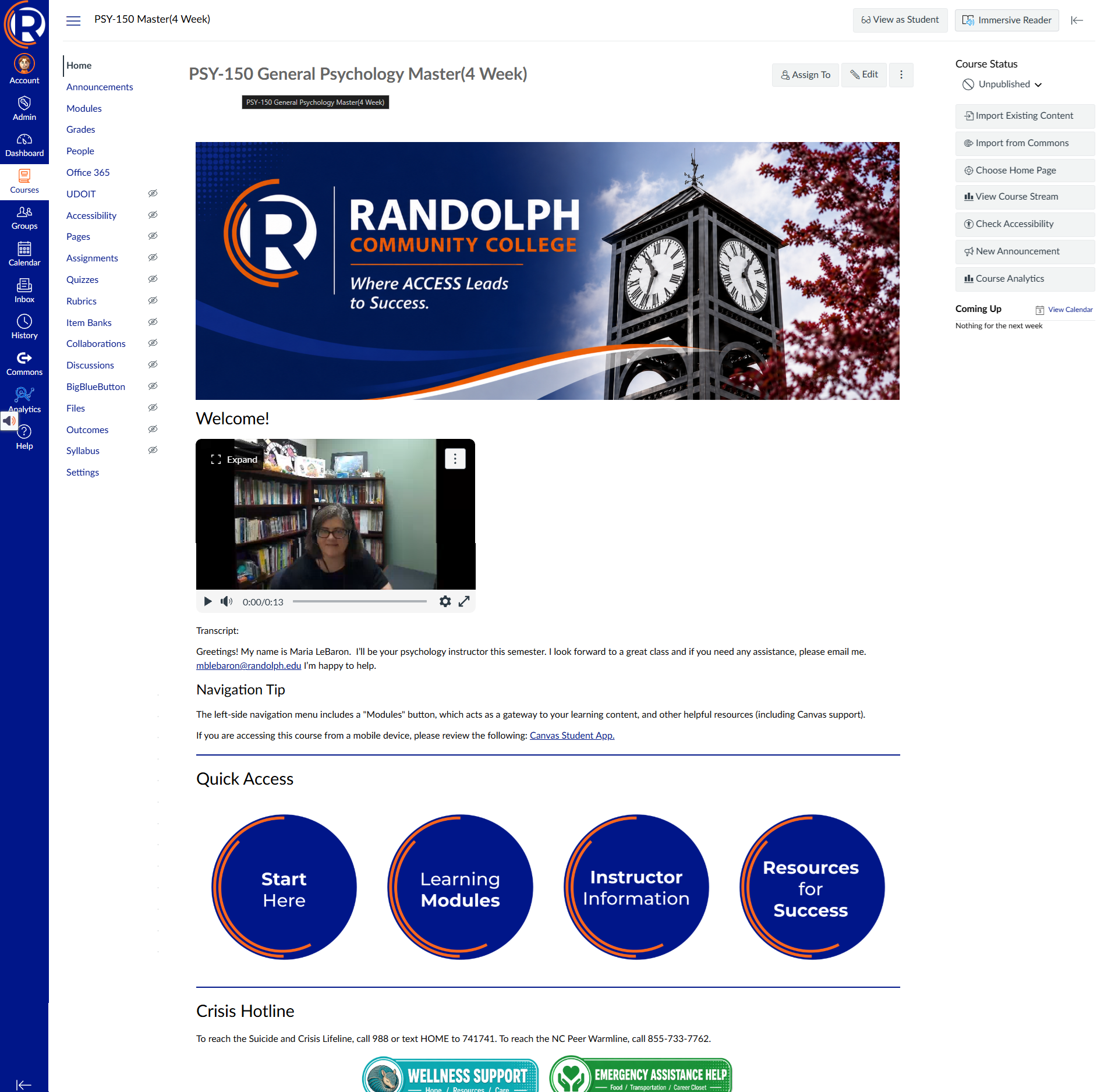
The first thing that you will see when opening most courses will be a course Homepage. Here you will be presented with an overview of the course and a welcome message from your instructor. On the course home page, you can also access quick links that will present you with more detailed information about your course's learning objectives, access your learning modules, Contact information for your instructor, and additional support services. You can also use the course navigation menu on the left side of screen to navigate to different parts of the course.
3. Learn About Modules
Learning Modules is where your instructor will organize course materials, assignments, quizzes, discussions, and other activities. You can access your courses Learning Modules by clicking the Learning Modules button on the course home page or by clicking "Modules" from the course navigation menu on the left side of the screen. Learn how to use modules to work through your course.
4. Check Your Calendar and To Do List
Canvas provides tools to help you keep track of upcoming assignments and course activities.
Background Colour
Font Face
Font Kerning
Font Size
Image Visibility
Letter Spacing
Line Height
Link Highlight
Text Colour